-2.png?width=132&height=32&name=slatecx-logo%20(1)-2.png)

The HubSpot-native Buyer Engagement Platform.
SlateCX installs in minutes and runs in both directions: nine workflow actions drive Slates from any HubSpot workflow, and 12 high-signal events stream back into your contact timelines, lists, workflows, and scoring models.
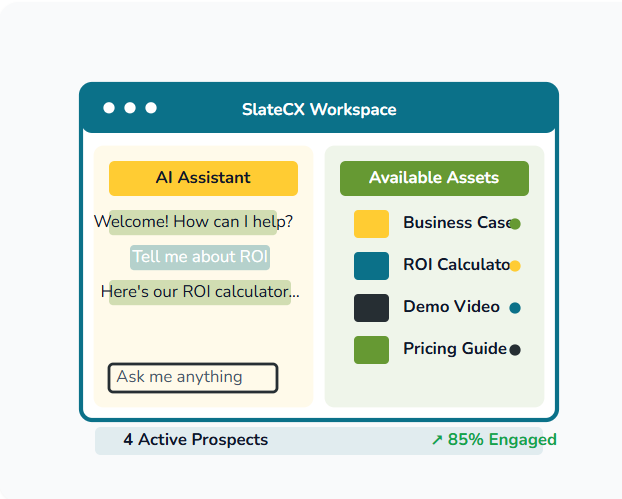
A persistent workspace for one buyer and their team.
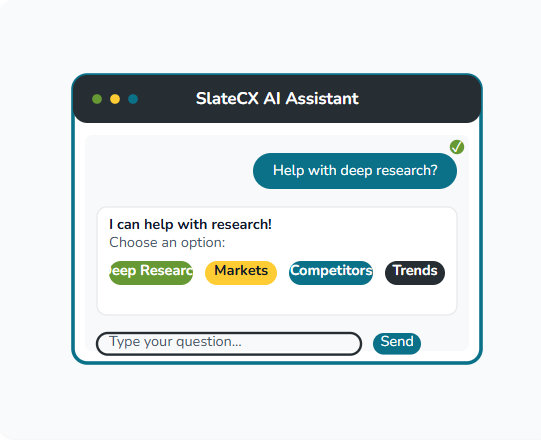
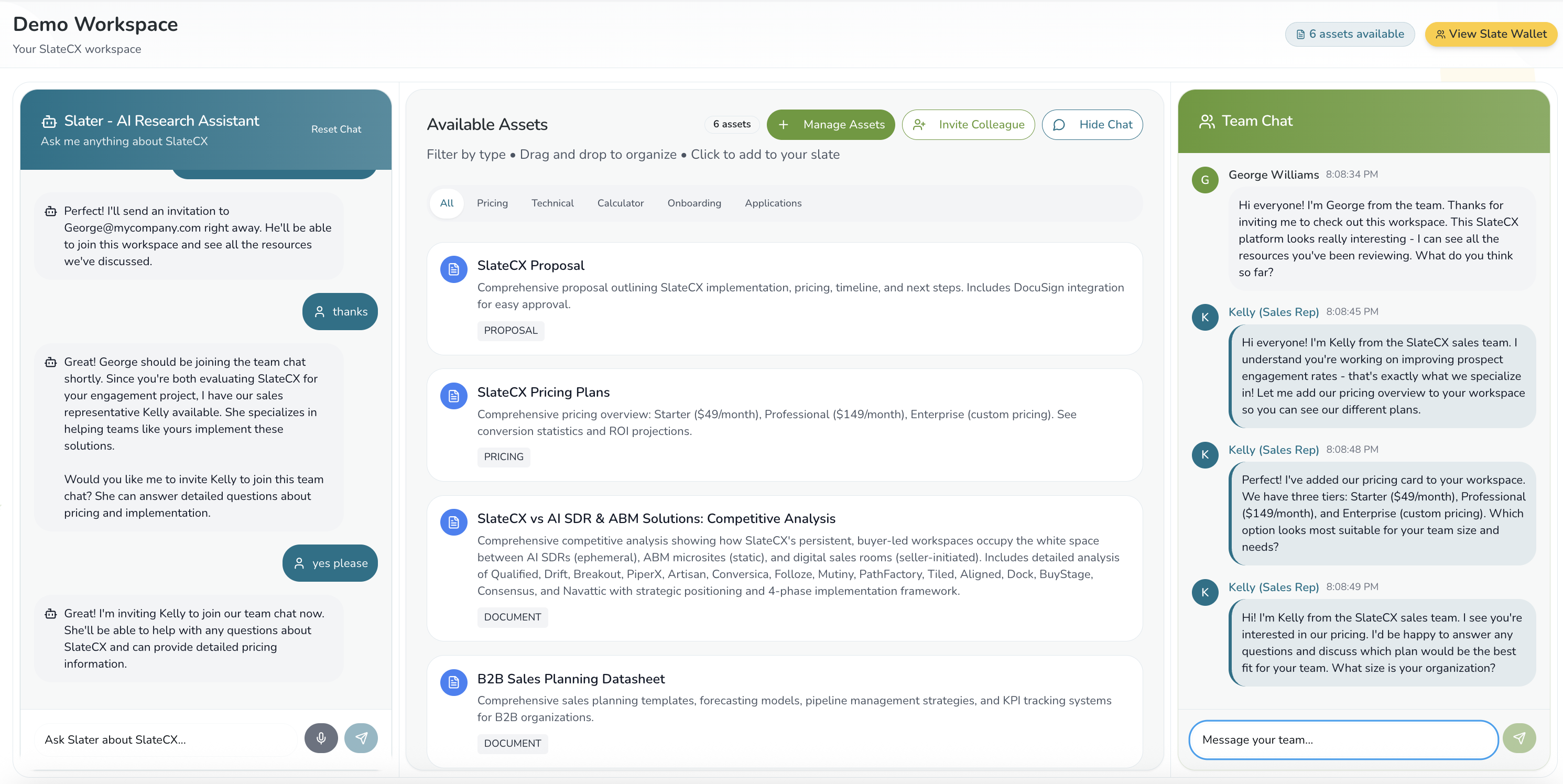
Every serious buyer gets a Slate: their own AI workspace, where they ask questions by text or voice, get answers grounded in your approved content, bring in the colleagues who have to sign off, and come back to everything they collected for the life of the evaluation. All of it syncs into HubSpot.

Benefits for marketing leaders
Increased engagement
A chat window forgets the buyer between sessions. A Slate does not, so the prospect has a reason to come back and a place to bring the rest of the committee. Buyers ask a Slate the questions they would never have typed into a form.
Better visibility
You see the part of the evaluation that used to be invisible: the questions asked, the content opened, the goals reached, the colleagues invited. Each one lands on the contact record rather than disappearing between MQL and demo booked.
Real-time sales signals
Activity arrives within seconds of the buyer's action, not overnight. A booked meeting, a goal completed, three people from one company in the same week: the owner hears about it while it is still happening, and opens the record knowing what was asked.
Put a Slate in any HubSpot workflow.
Events tell HubSpot what a buyer did. Workflow actions let HubSpot do something about it. Each of the nine targets a HubSpot record and resolves that contact's current Slate on its own, so you compose them with no code and never handle an identifier.
Bring Slate state into the workflow.
- Find the contact's current Slate Whether they have one, and which campaign it belongs to.
- Get the conversation transcript The messages, both sides, as JSON Lines.
- Get all question answers Every question you configured, including the ones still unanswered.
- Get all goal statuses Every goal on the campaign and whether it has been achieved.
- Get card summaries The cards on the Slate, in the order the prospect sees them.
Create workspaces and put content in them.
- Create a Slate for the contact You pick the campaign and entry point, both from live dropdowns of your active choices.
- Create a shared Slate for a Deal's contacts One Slate that every contact associated with the deal shares. Not one each.
- Publish a HubSpot file onto the Slate Pick a file from your portal and it becomes a card.
- Recommend and add a Card Reads the conversation, adds the campaign card that best fits it, and hands back the subject line, the message and a link that opens the Slate on that card.
Built for the person who owns the workflows.
No API key, no developer, no leaving HubSpot. If you can build a workflow, you can build this. Three things change for the team that owns the automation.
Build once, run always on
A campaign like this usually means seven to ten separate assets: cloned workflows, cloned emails, list pulls, all rebuilt for the next event.
One persistent Slate and a generalized always-on workflow replace them. The prospect gets the same experience. Your team gets the hours back.
Just-in-time nurture, not a schedule
Time-based nurture is the norm because behavior-triggered steps are hard to architect in core HubSpot. These actions make behavior the trigger.
A pricing page visit, then minutes later a card added to their Slate and an email about what they actually did, while they are still in buying mode. Branch on the question that went unanswered, the one that got answered, and the buyer who opened it and said nothing.
Scoring and signals with no plumbing to maintain
Transcripts, cards and goals are written back to the contact record as they happen. Other tools can score a chat exchange, but standing that up is ops-heavy and stays that way.
Here the alerts, routing and lifecycle triggers run off real engagement data, and nobody on your team owns the pipeline that feeds them.
Workflow actions run inside HubSpot workflows, available on the Professional and Enterprise tiers of Marketing Hub, Sales Hub, Service Hub, Data Hub and Smart CRM. The SlateCX events below work on any plan.
What marketing ops teams build with them.
Every pattern mixes three kinds of step: SlateCX actions, Breeze agents and stock HubSpot. SlateCX supplies the facts. The agent supplies the judgment.
- Slate saved, or activity on it
- Wait 10 minutes
- Already booked a meeting?
- Get the conversation transcript
- Get all goal statuses
- Get card summaries
- Agent: what happened here?
- Write the answer to the record
- Agent: describe what is on the Slate
- Branch on what the agent said
- Recommend and add a Card
- Send the follow-up
Three SlateCX reads hand the buyer's state to an agent that decides what happened. A second agent writes the card list. HubSpot does the rest.
-
01
Turn an event list into personal workspaces
A workflow qualifies a new contact list, checks which contacts already have a Slate, creates one for everyone who does not, publishes the session video onto it, and emails each attendee a link to their own workspace.
-
02
Give a whole buying committee one room
From a deal record, a single action creates one shared Slate for every contact associated with it, so the security lead and the CFO work from the same answers instead of forwarded fragments.
-
03
Follow up on what they actually asked
When a buyer asks questions in a Slate and leaves, a workflow pulls the full transcript and a Breeze agent writes back: did that answer your question about reliability? The new SLA terms are in your Slate now. That is the workflow shown here.
-
04
Nurture on what the buyer did, not where they sit in a sequence
Triggered by inactivity, a page visit or a job change, a workflow reads which goals are still unmet and which questions went unanswered, hands that context to a Breeze agent that writes the note, and sends a nudge that something new is waiting.
Our follow-up used to run on a schedule. Now a workflow reads what the buyer actually asked Nexie and hands that to an agent that writes the reply. The email arrives because of something they did, and engages with them based on the questions they asked.Jayashree Rajan, CMO, Nexla
Every meaningful signal, delivered to HubSpot.
Every Slate interaction that matters fires a typed HubSpot app event. Build reports, lists, workflows, and scoring models against any of them — or all of them.
Awareness signals
The buyer is consuming what you gave them.
- Video viewed +5
- PDF viewed +5
- Slate invite received +5
Active interest
The buyer is doing something deliberate, not just scrolling.
- Slate saved +5
- Meaningful card interaction +10
- Chatbot conversation started +10
The buying team
The buyer is pulling colleagues into the conversation.
- Slate invite sent +5
- Team chat started +10
Sales-ready
The buyer is telling you they're ready to talk.
- Form submitted +10
- Goal completed +5
- All goals completed +30
- Meeting booked +10
Activity sales actually trusts.
SlateCX activities appear in the HubSpot Activities tab alongside emails, calls, and meetings — same place, same format, same filters. Toggle SlateCX on in the activity list once and you're done.
- Real-time, not batched. Activity lands within seconds of the buyer's action.
- Context-rich. Each event carries the campaign, card name, goal, and timestamp.
- Reportable. Every event is available in HubSpot's report builder as a primary data source.
- Properly associated. Bound to the right contact, company, and deal via standard HubSpot associations.
An engagement score your team will actually act on.
SlateCX ships with a suggested scoring model that maps every event to a point value and every contact to a clear band. Drop it into HubSpot Workflows in an afternoon — or use it as a starting point and tune.
SlateCX Engagement Score
RECOMMENDED MODELLow engagement
Awareness only. Continue nurture sequences.
Warm
Genuinely engaged. Tag for marketing touch and prioritize content.
High intent
Active buying behaviour. Loop in account owner.
Sales-ready
Multi-signal, multi-thread. Handoff immediately.
What kinds of reports can you create with SlateCX custom events?
Six concrete patterns we see most often: reports, lists, scores and the alerts they drive. Each takes about an afternoon to set up, and runs forever.
Engagement by campaign dashboard
Group goal-completion events by campaign name to see which sources, channels, and creative actually drove engagement deep enough to matter. Filter by date, owner, or lifecycle stage.
High-intent contact queue
Active list of contacts who hit any conversion signal (form, goal, meeting) in the last 30 days, or whose SlateCX score crosses 40. Sales gets one place to look every morning.
SlateCX Engagement Score property
Stand up a contact property and a set of workflows that increment the score on every meaningful event. Use the score in lead-routing, alerts, and lifecycle stage rules.
Notify owner after meeting booked
Trigger an internal Slack or email the moment a "Meeting booked" event fires. Includes campaign context, Slate URL, and the buyer's recent activity — so the AE walks in primed.
Account activity burst alert
When 3+ contacts at the same company fire any SlateCX event within 7 days, notify the account owner. The buying committee is forming — get there first.
Engaged but not converted queue
Contacts who triggered Content engagement but never reached a Conversion event. Re-engage with targeted content, or invite into a new Slate with a different angle.
Make every buying signal visible in HubSpot.
SlateCX is the buyer engagement layer your HubSpot stack was missing. Install in minutes, see signal in hours, scale revenue ops in weeks.
HubSpot customers: 500 voice-enabled Slates a month at $1,799, platform fee included, through 31 December 2026.